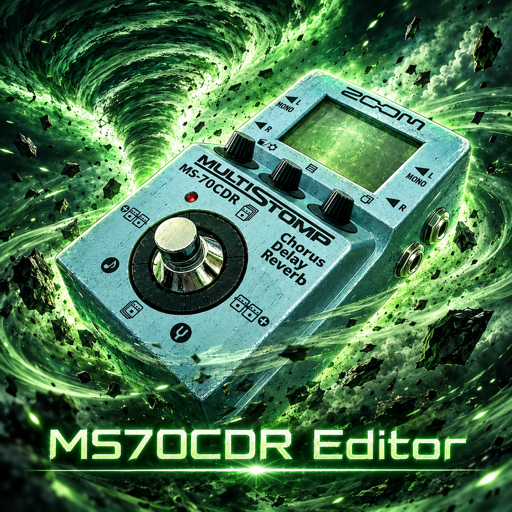
What you need接続に必要なもの
- Original ZOOM MS-70CDR初代 ZOOM MS-70CDR
- A USB cable. Lightning iPhones and iPads also need an adapter (see below).USB ケーブル。Lightning 端子の iPhone / iPad はアダプタも必要です(下記参照)。
- iOS 17.0 or later (Mac is also supported)iOS 17.0以降(Macにも対応)
The MS-70CDR has a USB Mini-B port. What you need depends on the port on your iPhone or iPad.MS-70CDR の USB 端子は Mini-B です。必要なものは、お使いの iPhone / iPad の端子で決まります。
iPhone / iPad with USB-C (iPhone 15 or later, USB-C iPads)USB-C 端子の iPhone / iPad(iPhone 15 以降、USB-C の iPad)
- One USB-C to USB Mini-B cable. No adapter is needed.USB-C – USB Mini-B ケーブル 1 本だけ。アダプタは不要です。
- Use a cable that supports data transfer. Charge-only cables will not connect.データ転送に対応したケーブルを使ってください。充電専用ケーブルでは接続できません。
iPhone / iPad with Lightning (iPhone 14 or earlier, Lightning iPads)Lightning 端子の iPhone / iPad(iPhone 14 以前、Lightning の iPad)
- Apple's Lightning to USB Camera Adapter, or the Lightning to USB 3 Camera Adapter.Apple の「Lightning - USB カメラアダプタ」または「Lightning - USB 3 カメラアダプタ」
- A USB-A to USB Mini-B cable between the adapter and the MS-70CDR.アダプタと MS-70CDR をつなぐ USB-A – USB Mini-B ケーブル
MacMac
- A USB-C or USB-A to USB Mini-B cable, matching the port on your Mac.Mac の端子に合わせた USB-C または USB-A – USB Mini-B ケーブル
The built-in setup guide shows the cable and adapter for your device with illustrations.初回起動時の接続ガイドが、お使いの機種に合わせて必要なケーブルとつなぎ方をイラストで案内します。
Powering the MS-70CDR from the iPhone or iPad alone is not guaranteed. Run the MS-70CDR on batteries or its AC adapter. On Lightning devices, the Lightning to USB 3 Camera Adapter with its own power supply also works.iPhone / iPad からの給電のみでの MS-70CDR の動作は保証されません。MS-70CDR は電池または AC アダプタで動かしてください。Lightning の場合は、電源を供給できる「Lightning - USB 3 カメラアダプタ」でも構いません。
Features機能一覧
Getting things done使い方
Connect to your iPhoneiPhoneとつなぐ
- Power on the MS-70CDR (batteries or AC adapter recommended).
- Connect the MS-70CDR's USB port to your iPhone with the cable for your device (USB-C: cable only. Lightning: camera adapter plus cable).
- Open the app. It detects the pedal automatically; the setup guide shows the right cable if it does not.
- MS-70CDRの電源を入れます(電池またはACアダプタでの給電を推奨)。
- お使いの機種に合うケーブルで、MS-70CDRのUSB端子とiPhoneをつなぎます(USB-C:ケーブルのみ。Lightning:カメラアダプタ+ケーブル)。
- アプリを開くと自動で検出します。つながらないときは接続ガイドが必要なケーブルを案内します。
FAQ
Is the MS-70CDR+ also supported?
No. MS70CDR Editor is designed for the original ZOOM MS-70CDR. The MS-70CDR+ has its own official app provided by ZOOM.
When will it be available?
MS70CDR Editor is coming soon to the App Store. This page will link to it once it is released.
Is the app free?
Free to download, with every feature unlocked for 7 days. After the trial, editing, browsing and backup stay free, and transfer to the pedal continues with Premium, a one-time purchase. No subscription.
MS-70CDR+にも対応していますか?
いいえ。MS70CDR Editorは初代ZOOM MS-70CDR向けです。MS-70CDR+にはZOOM公式アプリが提供されています。
いつ公開されますか?
MS70CDR Editorは近日App Storeで公開予定です。公開後、このページからダウンロードできるようになります。
アプリは無料ですか?
無料でダウンロードでき、7日間はすべての機能をお試しいただけます。トライアル終了後も編集・閲覧・バックアップは無料のまま。実機への転送はPremium(買い切り)で引き続きご利用いただけます。サブスクリプションはありません。
MS70CDR Editor is an unofficial app. It is not affiliated with, endorsed by, or supported by ZOOM Corporation. All trademarks and product names are the property of their respective owners.MS70CDR Editor は非公式アプリです。ZOOM Corporation とは関係ありません。記載の商標・製品名は各社の所有物です。
Contact連絡先
Found a bug? Have a feature request? We'd love to hear from you.不具合の報告や機能のご要望は、こちらまでお寄せください。
ms50g_editor [at] icloud.comMore appsほかのアプリ
Goodbye to the MS-50G's tiny screen. Edit, back up and send patches from your iPhone.MS-50Gの小さな画面とはお別れ。iPhoneで編集・バックアップ・転送。
Goodbye to the MS-60B's tiny screen. The iPhone app it's been waiting for.MS-60Bの小さな画面とはお別れ。待っていたiPhoneアプリ。
Send classic DX7 patches from your phone to your volca fm.名機のパッチを、スマホから新しい機器へ。
Run your screenless GCE-3 from your iPad or iPhone, then record straight from it.画面のないGCE-3を、iPadとiPhoneだけで。そのまま録音もできる。